Category Archives: News

Nulled Plugins: Risks, Detection, and Safe Alternatives for WordPress/Shopify

In the world of website development, plugins and themes are essential tools that extend functionality and enhance design. However, the temptation to use nulled plugins—unauthorized copies of premium software—can lead to serious consequences for your website and business. This comprehensive guide explores what nulled plugins are, the risks they pose, how to detect them, and most importantly, where to find safe alternatives that won’t compromise your site’s security or performance.

What Are Nulled Plugins and Themes?

Nulled plugins and themes are unauthorized copies of premium software that have been modified to bypass licensing verification. These pirated versions allow users to access premium features without paying for a legitimate license. While they might seem like a cost-effective solution, they represent significant risks to your website’s security and functionality.

Nulled vs. Null Theme: Understanding the Difference

It’s important to distinguish between “nulled” and “null” themes. A nulled theme is a pirated version of a premium theme with licensing verification removed. In contrast, a “null theme” might refer to a minimalist or starter theme with basic functionality designed to be built upon—these legitimate themes are not the same as pirated “nulled” versions.

How Plugins Work: A Technical Overview

WordPress and Shopify plugins are essentially packages of code that extend the functionality of your website. They integrate with the core platform through standardized APIs (Application Programming Interfaces) that allow them to add features without modifying the core files. When you install a plugin, it becomes part of your website’s codebase and can access your database, files, and user information.

This deep integration is precisely why plugin security is critical—any compromised plugin has potential access to your entire website. Legitimate plugins undergo security reviews and regular updates to patch vulnerabilities, while nulled plugins often contain deliberately inserted malicious code.

Must-Use (MU) Plugins: A Different Approach

Must-Use plugins (sometimes called “mu-plugins”) are a special category of WordPress plugins that are automatically activated and cannot be disabled through the admin interface. Unlike regular plugins that can be activated or deactivated at will, MU plugins are always running. They’re typically used for critical functionality that should never be disabled, making them fundamentally different from both regular and nulled plugins.

The 7 Critical Risks of Using Nulled Plugins

The appeal of getting premium functionality without the premium price tag is understandable, especially for new website owners on a tight budget. However, the risks associated with nulled plugins far outweigh any potential cost savings.

1. Security Vulnerabilities and Malware

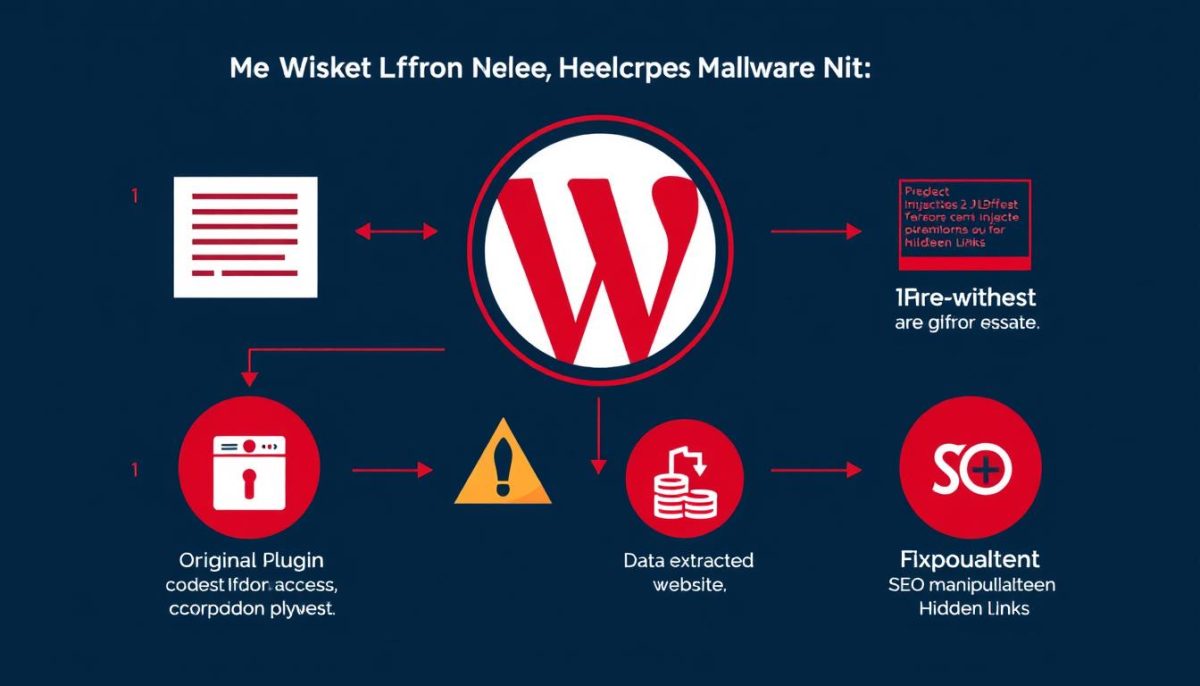
The most significant danger of nulled plugins is the deliberate insertion of malicious code. Hackers often use nulled plugins as Trojan horses to gain backdoor access to websites. This malware can remain dormant for weeks or months before activating, making it difficult to trace the source of the infection. Once activated, it can create security vulnerabilities that allow complete access to your website and server.

2. Data Theft and Privacy Breaches

Malicious code in nulled plugins can silently collect sensitive information from your website, including customer data, login credentials, and payment information. This data can then be sold on the dark web or used for identity theft. For businesses, this represents not just a security issue but a potential violation of data protection regulations like GDPR or CCPA, which can result in significant fines.

3. SEO Penalties and Reputation Damage

Nulled plugins often inject hidden spam links or redirect visitors to malicious websites. Search engines like Google can detect these suspicious activities and may penalize your site by lowering its rankings or removing it from search results entirely. Rebuilding your SEO reputation after such penalties can take months or even years.

4. No Updates or Support

Legitimate plugins receive regular updates that fix bugs, patch security vulnerabilities, and add new features. Nulled plugins cannot be updated through normal channels, leaving your site vulnerable to newly discovered security threats. Additionally, you won’t have access to developer support when issues arise, forcing you to troubleshoot complex problems on your own.

5. Legal Consequences

While some WordPress plugins are released under the GPL license (which allows for redistribution), many include proprietary components that are protected by copyright. Using nulled versions of these plugins could potentially expose you to legal action from the original developers. Additionally, if a data breach occurs due to a nulled plugin, you could face legal liability for failing to take reasonable security precautions.

6. Site Performance Issues

Nulled plugins often contain poorly written or outdated code that can slow down your website. This poor performance not only creates a frustrating user experience but can also negatively impact your search engine rankings, as page speed is a significant ranking factor for Google and other search engines.

7. Loss of Customer Trust

Perhaps the most devastating long-term consequence is the loss of customer trust that occurs when a website is compromised. If visitors receive malware warnings when visiting your site, or if their personal information is stolen, they’re unlikely to return. According to studies, approximately 60% of small businesses close within six months of a major data breach.

Feature Free Official Plugins Premium Official Plugins Nulled Plugins
Security High – Vetted by repository teams Very High – Regular security audits Very Low – Often contains malware
Updates Regular updates Priority updates No automatic updates
Support Community support Dedicated support team No support
Features Basic functionality Advanced features Advanced features (but often broken)
Legal Status Legal Legal Often violates terms of service
Cost Free Paid (often subscription) Free or low cost (high hidden costs)

How to Check for Nulled Plugins on Your Website

If you’re concerned that your website might already have nulled plugins installed, there are several methods to check. Early detection is crucial to preventing security breaches and other issues.

Should I delete inactive plugins?

Yes, you should delete inactive plugins rather than just deactivating them. Inactive plugins can still contain vulnerabilities that hackers can exploit, even when not in use. They also add unnecessary bloat to your website and can slow down performance. Regular plugin audits to remove unused plugins are an essential part of website maintenance and security.

Method 1: Check for Missing License Keys

Most premium plugins require activation with a license key to enable updates and support. To check if your plugins are legitimate:

  1. Log in to your WordPress dashboard and navigate to the Plugins section
  2. Look for premium plugins that don’t have license key fields or show “unlicensed” status
  3. Check plugin settings pages for license activation options
  4. Verify if you have purchase receipts or license documentation for all premium plugins

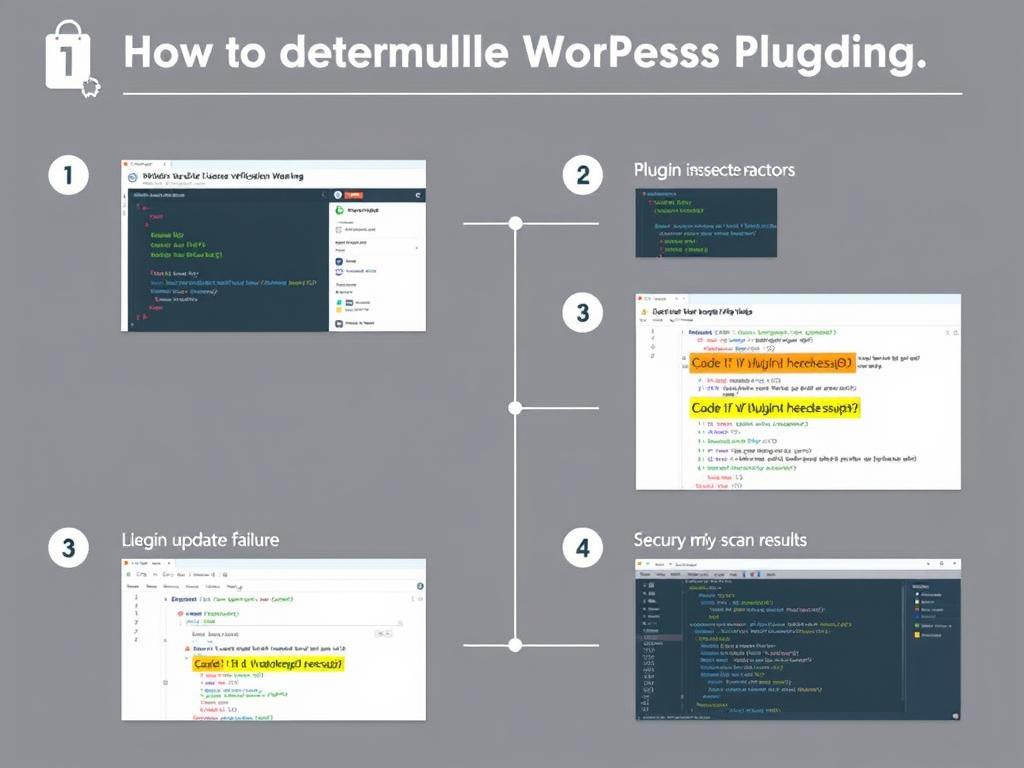
Method 2: Run a Security Scan

Security plugins can detect suspicious code that might indicate a nulled plugin:

  1. Install a reputable security plugin like MalCare, Wordfence, or Sucuri
  2. Run a comprehensive malware scan on your website
  3. Review the scan results for any detected malware or suspicious code
  4. Pay special attention to warnings related to plugin files

Method 3: Check Plugin Code for Suspicious Elements

If you have technical knowledge or can work with a developer, examining plugin code can reveal signs of tampering:

  1. Use FTP or your hosting file manager to access plugin directories
  2. Look for suspicious files that don’t match the plugin’s purpose
  3. Check for obfuscated code (intentionally difficult-to-read code)
  4. Search for base64_decode functions, which are often used to hide malicious code
  5. Compare file structures with official plugin repositories when possible

Is Your Website at Risk?

If you’ve discovered nulled plugins on your site or suspect your site may be compromised, immediate action is needed. Nulldl.com offers comprehensive security guides and plugin recommendations to help secure your website.

Safely Removing Nulled Plugins from Your Website

If you’ve identified nulled plugins on your website, it’s crucial to remove them properly to minimize potential damage. Simply deleting the plugin may not be enough if malicious code has already spread to other parts of your website.

Step 1: Back Up Your Website

Before making any changes, create a complete backup of your website. This ensures you can restore your site if anything goes wrong during the removal process. Use a reliable backup plugin or your hosting provider’s backup service to create a full site backup including all files and databases.

Step 2: Deactivate and Delete the Nulled Plugin

To safely remove a nulled plugin from your WordPress dashboard:

  1. Go to the Plugins section in your WordPress dashboard
  2. Deactivate the nulled plugin
  3. Click “Delete” to remove it from your website
  4. Confirm the deletion when prompted

Step 3: Remove from Database (If Necessary)

Some nulled plugins leave traces in your database even after deletion. To thoroughly remove these:

  1. Access your database through phpMyAdmin (available in your hosting control panel)
  2. Look for tables with the plugin’s name or prefix
  3. Export these tables first (as a backup) before deleting them
  4. Use SQL commands or the phpMyAdmin interface to delete the relevant tables

How do I disable a plugin from my database?

To disable a plugin directly from the database when you can’t access the WordPress dashboard, connect to your database using phpMyAdmin, locate the wp_options table, find the active_plugins option, and edit its value to remove the plugin’s entry. Alternatively, you can rename the plugin’s folder via FTP to effectively disable it. Always back up your database before making direct changes.

Step 4: Scan for Remaining Malware

After removing the nulled plugin, run a thorough security scan to ensure no malicious code remains:

  1. Use a security plugin to scan your entire website
  2. Check for any remaining malware or suspicious code
  3. Pay special attention to theme files and the wp-includes directory, as these are common hiding places for malware
  4. Remove any detected threats following the security plugin’s recommendations

Step 5: Update All Remaining Plugins and Themes

Once you’ve removed the nulled plugins, update all legitimate plugins and themes to their latest versions. This ensures any security vulnerabilities are patched and helps protect your site from future attacks.

Safe Alternatives to Nulled Plugins

Instead of risking your website’s security with nulled plugins, consider these safer alternatives that can provide the functionality you need without compromising your site.

Free and Freemium Plugins

Many premium plugins offer free versions with basic functionality. These “freemium” plugins allow you to test core features before committing to a purchase:

  • WordPress.org Plugin Repository – Over 55,000 free plugins available
  • Shopify App Store – Hundreds of free and freemium apps
  • GitHub – Open-source plugins with transparent code
  • Developer websites – Many offer free versions with upgrade paths

Subscription and Membership Services

Several services offer access to multiple premium plugins for a single subscription fee:

  • Envato Elements – Hundreds of WordPress themes and plugins for a monthly fee
  • WPMU DEV – Premium plugins, themes, and hosting in one subscription
  • Elegant Themes – Access to Divi and other premium tools
  • Nulldl.com Resources – Tutorials and compatibility guides for legitimate plugins

What is a must-use plugin?

A must-use plugin (MU plugin) is a special type of WordPress plugin that’s automatically activated and cannot be disabled through the WordPress admin interface. These plugins are loaded before regular plugins and are ideal for critical functionality that should never be deactivated. MU plugins are stored in the wp-content/mu-plugins directory rather than the standard plugins folder.

Alternative Solutions for E-commerce

For online stores looking for cost-effective solutions:

  • SureCart – A powerful free e-commerce plugin with premium features
  • WooCommerce – Free core plugin with affordable extensions
  • Easy Digital Downloads – Specialized for digital product sales
  • Open source alternatives to premium plugins

Discover Legitimate Plugin Resources

Nulldl.com offers comprehensive tutorials, compatibility guides, and resources for WordPress and Shopify plugins without promoting nulled software. Our platform helps you make informed decisions about which plugins best suit your needs.

Nulldl.com: Your Resource for Plugin Information

Nulldl.com provides valuable resources for website developers and e-commerce store owners looking to make informed decisions about plugins and themes. Unlike sites that distribute nulled software, Nulldl.com focuses on education, compatibility information, and legitimate resources.

Comprehensive Plugin Library

Nulldl.com offers information about a wide range of WordPress and Shopify plugins, including:

  • WooCommerce plugins for enhanced e-commerce functionality
  • Page builders like Elementor, Divi, and Beaver Builder
  • SEO tools to improve your search engine rankings
  • Multilingual plugins for international websites
  • Site backup and security extensions

Educational Resources and Tutorials

The platform specializes in helping users understand and maximize the value of legitimate plugins:

  • Step-by-step plugin tutorials for beginners and advanced users
  • Compatibility troubleshooting guides
  • Comparisons between free and premium versions
  • Best practices for plugin configuration and optimization

What are Vencord plugins coded in?

Vencord plugins are primarily coded in JavaScript, specifically using the React framework since Vencord is built on Electron (which uses Chromium and Node.js). Developers create plugins by interacting with Vencord’s API to extend functionality. This JavaScript-based approach makes plugin development accessible to web developers familiar with modern front-end technologies.

Disclaimer on Nulled Software

Nulldl.com strongly advises against using nulled plugins or themes. The platform’s resources are designed to help users find legitimate alternatives and understand the value proposition of premium plugins, rather than promoting pirated software. All recommendations focus on properly licensed products that provide ongoing support, updates, and security.

Technical Insights: Understanding Plugin Architecture

Understanding how plugins work at a technical level can help you make better decisions about which ones to use and how to maintain them securely.

The Concept of Plugins

At their core, plugins are modular pieces of code that extend the functionality of a platform without modifying its core files. This modularity is what makes content management systems like WordPress and e-commerce platforms like Shopify so versatile. Plugins typically work through:

  • Hooks and filters that intercept and modify data
  • APIs that allow communication with core functions
  • Database interactions to store and retrieve information
  • Custom code execution at specific points in the page load process

Plugin Security Best Practices

To maintain a secure website while using plugins, follow these technical best practices:

  1. Verify plugin sources – Only download from official repositories or developer websites
  2. Check update frequency – Regularly updated plugins are more likely to be secure
  3. Review permissions – Be cautious of plugins requesting excessive permissions
  4. Limit plugin quantity – Each plugin adds potential vulnerability points
  5. Implement proper file permissions – Set appropriate read/write permissions for plugin directories
  6. Use security plugins – Monitor for suspicious activity and file changes
  7. Keep regular backups – Ensure you can restore your site if a plugin causes issues

What is the concept of plugins?

Plugins are modular software components that extend the functionality of a core application without modifying its original code. They work through standardized interfaces (APIs) that allow them to “plug into” the main software. This modular approach enables users to customize their experience by adding only the specific features they need, while developers can create specialized functionality without having to build an entire application from scratch.

Conclusion: Building a Secure and Effective Website

While the temptation to use nulled plugins might be strong, especially when working with limited budgets, the risks far outweigh any short-term cost savings. Security breaches, data theft, legal issues, and reputation damage can all result from using pirated software—costs that ultimately far exceed the price of legitimate plugins.

Instead, focus on building your website with properly licensed tools and resources. Take advantage of free alternatives, freemium models, and educational resources like those offered by Nulldl.com to make informed decisions about which plugins truly provide value for your specific needs.

Remember that a successful website isn’t just about having the most features—it’s about creating a secure, reliable platform that builds trust with your visitors and customers. By investing in legitimate plugins and following security best practices, you’re investing in the long-term success of your online presence.

Start Building Your Secure Website Today

Explore Nulldl.com’s comprehensive resources for WordPress and Shopify plugins, including tutorials, compatibility guides, and recommendations for legitimate alternatives to nulled software.

The Risks of Nulled Shopify Themes: Safety, Legality & Better Alternatives

When building an online store, the temptation to use nulled Shopify themes can be strong, especially for entrepreneurs on a tight budget. These unauthorized copies of premium themes promise the same functionality and design at zero cost. But what exactly are “nulled Shopify themes,” and what risks do they pose to your business?

Nulled themes are pirated versions of premium Shopify themes that have had their licensing and security features removed or bypassed. While they may seem like a money-saving shortcut, they can lead to serious consequences for your online business. As a resource hub for developers, Nulldl.com provides legitimate tools and information to help you make better choices for your ecommerce site.

In this comprehensive guide, we’ll explore the dangers of using nulled themes, compare them with legitimate alternatives, and show you how to build a secure, professional online store without compromising your business’s future.

Is It Safe to Use Nulled Shopify Themes?

The short answer is no. Using nulled Shopify themes exposes your business to significant risks that far outweigh any initial cost savings. Here’s why nulled themes are dangerous for your ecommerce business:

Major Security Risks of Nulled Themes

Nulled Shopify themes often contain malicious code that can compromise your store’s security and your customers’ data. This isn’t just theoretical—it happens regularly to unsuspecting store owners.

Malware Injection

Hackers frequently insert malicious code into nulled themes that can steal customer data, including credit card information. This code is often designed to be difficult to detect until it’s too late.

Data Theft

Nulled themes may contain backdoors that allow unauthorized access to your admin panel, customer information, and payment details. This can lead to devastating data breaches.

SEO Penalties

Hidden links and spam content are often embedded in nulled themes, which can severely damage your store’s search engine rankings and reputation.

Violation of Shopify’s Terms of Service

Using nulled themes violates Shopify’s Terms of Service, which explicitly prohibits unauthorized use of premium themes. This violation can result in your store being suspended or terminated without warning, potentially causing significant business disruption and revenue loss.

Lack of Updates and Support

Premium themes receive regular updates to maintain compatibility with Shopify’s platform, fix bugs, and address security vulnerabilities. Nulled themes don’t receive these critical updates, leaving your store vulnerable to emerging threats and compatibility issues as Shopify evolves.

Protect Your Store with Verified Resources

Don’t risk your business with unsafe nulled themes. Explore Nulldl.com’s security resources to learn how to properly secure your Shopify store with legitimate themes and plugins.

Access Security Resources

Nulled Themes vs. Paid Themes: 7 Reasons to Invest

When deciding between nulled and paid Shopify themes, it’s important to understand what you’re really getting—or missing—with each option. Here’s why investing in legitimate themes is worth every penny:

Benefits of Paid Themes

  • Professional support from theme developers
  • Regular security updates and bug fixes
  • Compatibility with latest Shopify features
  • SEO-optimized code structure
  • No risk of malware or hidden backdoors
  • Compliance with Shopify’s Terms of Service
  • Better performance and loading speeds

Risks of Nulled Themes

  • Security vulnerabilities and malware
  • No technical support when issues arise
  • Outdated features and compatibility problems
  • Poor SEO performance due to bad code
  • Potential account suspension by Shopify
  • Customer data security risks
  • Higher long-term costs from security breaches

The True Cost Comparison

While nulled themes appear free upfront, they often lead to significant expenses down the road. Consider these hidden costs:

Cost Factor Nulled Themes Legitimate Themes
Initial Investment $0 $50-$350
Security Breach Recovery $3,000-$10,000+ Minimal risk
Lost Sales During Downtime Potentially thousands Minimal risk
Developer Fixes for Issues $75-$150/hour Often included in support
Reputation Damage Incalculable Minimal risk

Compare Theme Options Safely

Not sure which legitimate theme is right for your store? Nulldl.com offers comprehensive theme comparison guides to help you make the best choice for your business needs.

How to Spot Nulled Plugins/Themes

Before you download any Shopify theme or plugin, it’s crucial to know how to identify potentially nulled or pirated versions. Here are the key warning signs to watch for:

Red Flags That Indicate a Theme May Be Nulled

Suspicious Sources

Legitimate Shopify themes are sold through the official Shopify Theme Store or reputable third-party marketplaces like ThemeForest. If you find a premium theme on an unfamiliar website, especially one advertising “free premium themes,” it’s likely nulled.

Missing Licenses

Legitimate themes come with proper licensing documentation. If there’s no mention of a license, or if the site claims the theme is “license-free” or uses terms like “nulled” or “cracked,” it’s almost certainly pirated.

Price Discrepancies

If a theme that normally costs $180 is suddenly available for $10 or free, be extremely suspicious. Legitimate developers rarely offer such extreme discounts outside of major sales events.

Technical Indicators of Nulled Themes

  • Broken Features – Nulled themes often have functionality that doesn’t work properly because the licensing verification has been removed or tampered with.
  • Outdated Version Numbers – If the theme version is significantly behind the current release mentioned on the official developer’s website, it may be nulled.
  • Modified Files – Nulled themes frequently contain modified files to bypass licensing checks, which can introduce security vulnerabilities.
  • Missing Documentation – Legitimate themes include comprehensive documentation. If this is missing or incomplete, be wary.
  • Poor or Non-existent Support – Sellers of nulled themes typically don’t offer support or have very limited support options.

Shopify Theme Security Checklist

  • Verify the theme source is the official Shopify Theme Store or the developer’s website
  • Check for a valid license that includes your domain
  • Confirm the theme has recent updates and compatibility with the current Shopify version
  • Look for comprehensive documentation and support options
  • Research the developer’s reputation and review history
  • Scan the theme files for malicious code before installation (if possible)
  • Test the theme in a development store before using it on your live site

Learn to Verify Theme Authenticity

Concerned about accidentally using nulled plugins? Nulldl.com offers detailed tutorials on how to verify the authenticity of Shopify themes and plugins.

Free Shopify Themes: Are They Reliable?

Not all free themes are created equal. There’s a significant difference between official free Shopify themes and nulled premium themes. Shopify offers several high-quality free themes that are completely legitimate, secure, and supported by the platform.

Official Free Shopify Themes for Dropshipping

Dawn

Shopify’s flagship free theme is perfect for dropshipping stores with its clean, minimalist design and excellent performance metrics. Dawn is fully responsive, loads quickly, and supports large product catalogs—ideal for dropshipping businesses.

Craft

With its focus on visual storytelling, Craft is excellent for dropshipping stores selling products that benefit from rich imagery. It includes features like image zoom and video support that help showcase products effectively.

Sense

Designed for stores with smaller inventories, Sense offers a streamlined shopping experience that works well for focused dropshipping businesses. Its simple navigation and prominent product features help drive conversions.

Benefits of Official Free Themes

  • Fully Supported – Official free themes receive the same updates and security patches as premium themes.
  • Shopify Compatibility – These themes are guaranteed to work with all of Shopify’s features and future updates.
  • Performance Optimized – Official themes are built with performance in mind, ensuring fast loading times.
  • Mobile Responsive – All official themes are fully responsive and tested across multiple devices.
  • No Security Risks – Unlike nulled themes, official free themes don’t contain malicious code or security vulnerabilities.

“Starting with an official free Shopify theme is often the smartest choice for new store owners. They provide a secure foundation that can be customized as your business grows, without the risks associated with nulled themes.”

— Ecommerce Security Expert

Optimize Your Free Theme

Make the most of official free Shopify themes with Nulldl.com’s optimization guides. Learn how to customize and extend free themes for maximum performance and conversions.

Get Optimization Tips

Can You Change Shopify Themes Without Losing Content?

One common concern when considering a theme change is whether you’ll lose your existing content. The good news is that Shopify stores your products, collections, blog posts, and pages separately from your theme, so you can change themes without losing this content. However, there are important steps to follow to ensure a smooth transition.

Step-by-Step Guide to Changing Your Shopify Theme Safely

  1. Backup Your Current Theme – Before making any changes, export your current theme as a backup. In your Shopify admin, go to Online Store > Themes, find your current theme, click Actions > Download theme file.
  2. Duplicate Your Live Theme – Create a duplicate of your current theme as an additional safety measure. Click Actions > Duplicate on your current theme.
  3. Install Your New Theme – Add the new theme to your theme library without publishing it yet. This allows you to customize it before it goes live.
  4. Customize Your New Theme – Configure your new theme’s settings, including colors, fonts, and layout options. Add your logo and favicon.
  5. Check Content Display – Preview how your products, collections, and pages appear in the new theme and make adjustments as needed.
  6. Test Functionality – Test critical functions like the shopping cart, checkout process, and any apps you have installed.
  7. Publish Your New Theme – Once you’re satisfied with how everything looks and functions, publish your new theme by clicking Actions > Publish.

Important: Theme-Specific Content

While your products and pages are preserved when changing themes, theme-specific content like custom sections on your homepage may not transfer automatically. Be sure to document your current layout before switching themes, so you can recreate important elements in your new theme.

Theme Duplication Tips

  • Create a detailed inventory of all customizations in your current theme before switching
  • Take screenshots of important page layouts to reference when setting up your new theme
  • Test your new theme on all device types (desktop, tablet, mobile) before publishing
  • Check that all third-party apps are compatible with your new theme
  • Consider making the switch during low-traffic periods to minimize disruption

Need Help With Theme Migration?

Changing themes can be complex. Nulldl.com offers comprehensive theme migration guides and troubleshooting resources to ensure a smooth transition.

Access Migration Resources

Nulldl.com: Your Resource for Safe Shopify Development

As a developer resource hub, Nulldl.com specializes in providing legitimate tools, plugins, and educational resources for Shopify and WordPress developers. Unlike sites offering nulled themes, Nulldl.com focuses on helping developers build secure, high-performing websites through proper channels.

Comprehensive Development Resources

WooCommerce & Shopify Plugins

Access detailed information about the best ecommerce plugins, including feature comparisons between free and premium versions. Our plugin comparison guides help you make informed decisions without resorting to nulled software.

SEO & Performance Tools

Discover legitimate SEO tools and optimization resources that improve your store’s visibility and performance. Our SEO resource library includes tutorials on implementing best practices without compromising security.

Multilingual & Localization

Expand your global reach with proper multilingual and localization tools. Our multilingual setup guides walk you through implementing language options safely and effectively.

Expert Tutorials & Compatibility Resources

Nulldl.com specializes in providing detailed tutorials and compatibility information to help developers build and optimize their websites efficiently:

  • Plugin Tutorials – Step-by-step guides for implementing and configuring popular plugins
  • Compatibility Troubleshooting – Resources for resolving conflicts between themes and plugins
  • Version Comparisons – Detailed comparisons between free and premium versions of popular tools
  • Development Best Practices – Guides for secure, efficient website development

Build Your Store the Right Way

Skip the risks of nulled themes and access legitimate development resources at Nulldl.com. Our comprehensive library helps you build secure, high-performing online stores.

Conclusion: Prioritize Security and Legitimacy

While nulled Shopify themes may seem like an attractive cost-saving measure, the risks far outweigh any short-term financial benefits. Security vulnerabilities, malware, legal issues, and lack of support make nulled themes a dangerous choice for any serious business.

Instead, consider these safer alternatives:

  • Use Shopify’s official free themes, which are secure and fully supported
  • Invest in a legitimate premium theme, viewing it as a business investment
  • Work with reputable developers who use proper licensing
  • Utilize Nulldl.com’s resources to find legitimate tools and tutorials

Building your online store on a foundation of security and legitimacy is essential for long-term success. By avoiding nulled themes and embracing proper development practices, you protect not only your business but also your customers’ trust and data.

Start Building Securely Today

Ready to develop your Shopify store the right way? Explore Nulldl.com’s verified tools and resources to build a secure, professional ecommerce presence.

Visit Nulldl.com

Frequently Asked Questions

Is it safe to use nulled Shopify themes?

No, using nulled Shopify themes is not safe. They often contain malware, backdoors, and other security vulnerabilities that can compromise your store and customer data. Additionally, using nulled themes violates Shopify’s Terms of Service, which could result in your store being suspended.

Is it worth paying for a Shopify theme?

Yes, investing in a legitimate Shopify theme is definitely worth it. Paid themes offer professional design, regular updates, technical support, and security patches. They’re optimized for conversions and provide a better user experience, which can lead to increased sales that quickly offset the initial investment.

What is a nulled theme?

A nulled theme is a pirated version of a premium theme that has had its licensing and security features removed or bypassed. These unauthorized copies are distributed illegally, often with malicious code added. Using nulled themes violates copyright laws and puts your business at significant risk.

Which Shopify free theme is best for dropshipping?

Dawn is generally considered the best official free Shopify theme for dropshipping. It’s Shopify’s fastest-loading theme with excellent mobile responsiveness and support for large product catalogs. Other good options include Craft and Sense, depending on your specific product types and store needs.

Can I change my Shopify theme without losing content?

Yes, you can change your Shopify theme without losing your products, collections, blog posts, or pages. Shopify stores this content separately from your theme. However, theme-specific content like custom sections on your homepage may need to be recreated. Always back up your current theme before making changes.

GPL vs. Nulled Software: Risks, Legality, and Best Practices for Developers

Common questions about GPL licensing and nulled softwareComparing GPL with Alternative Licenses

In the WordPress and Shopify ecosystem, developers often face choices between GPL-licensed and nulled software. While both options might seem similar on the surface, they represent fundamentally different approaches with significant implications for security, legality, and ethics.

This comprehensive guide explores the critical differences between GPL vs. nulled software, helping you make informed decisions for your development projects while avoiding potentially costly mistakes that could compromise your website’s security and reputation.

Understanding the GPL License: Core Principles and Freedoms

The GNU General Public License grants four essential freedoms to software users

The GNU General Public License (GPL) is a widely-used free software license that establishes specific freedoms for users. Created by Richard Stallman for the GNU Project, this license has become fundamental to open-source software development, including WordPress.

At its core, the GPL license guarantees four essential freedoms:

  • Freedom to run the program for any purpose
  • Freedom to study and modify the program’s source code
  • Freedom to redistribute copies to help others
  • Freedom to distribute modified versions

WordPress is released under the GPLv2 (or later) license, which means that themes and plugins built for WordPress must also be GPL-compatible. This licensing requirement creates the foundation for WordPress’s open ecosystem but also leads to some misconceptions about how the software can be distributed and used.

Is GPL Free for Commercial Use?

A common question is whether GPL software can be used commercially. The answer is yes – GPL software can absolutely be used for commercial purposes. The “free” in free software refers to freedom, not price.

This means developers can:

  • Sell GPL-licensed software
  • Use GPL software in commercial projects
  • Charge for support, customization, or distribution

However, when selling GPL software, you must provide the same freedoms to your customers that you received. They must be able to modify, redistribute, and even resell your code if they choose.

What Are Nulled Themes and Plugins?

Nulled software often contains hidden security risks that can compromise your website

Nulled themes and plugins are modified versions of premium WordPress or Shopify products that have had their licensing restrictions removed or bypassed. These modified versions are typically distributed through unofficial channels at no cost or at significantly reduced prices.

The term “nulled” refers to the process of nullifying the license verification mechanisms that would normally require payment or subscription. While this might seem appealing from a cost perspective, nulled software comes with substantial risks and ethical concerns.

The Technical Reality of Nulled Software

From a technical standpoint, nulled software typically involves one or more of these modifications:

  • Removal of license verification code
  • Bypassing of update checks
  • Modification of core functionality
  • Potential insertion of malicious code

These modifications fundamentally alter the original software, often in ways that aren’t immediately visible to the end user but can have serious consequences for website security and performance.

Important Security Warning: Nulled software frequently contains malicious code designed to create backdoors, steal sensitive data, or inject spam content into your website. Even if a nulled plugin appears to function normally, it may be secretly compromising your site’s security.

GPL vs. Nulled: Understanding the Critical Differences

Key differences between legitimate GPL distribution and nulled software

While nulled software providers often claim their distributions are legal under GPL, there are fundamental differences between legitimate GPL distribution and nulled software:

Aspect Legitimate GPL Distribution Nulled Software
License Integrity Preserves original licensing Modifies or removes licensing mechanisms
Code Integrity Unmodified original code Often contains modified code with potential malware
Updates Regular updates from developer No official updates or irregular third-party updates
Support Access to official support No official support
Security Security vulnerabilities patched quickly Security vulnerabilities may remain unpatched

The GPL Legal Gray Area

The legality of nulled software exists in a complex gray area. While the GPL does allow for redistribution of code, several factors make nulled software legally questionable:

  • Many premium themes and plugins include non-GPL elements (images, JavaScript) that retain separate copyright protection
  • Trademark infringement may occur when redistributing branded products
  • Removing license verification may violate anti-circumvention laws in some jurisdictions
  • Modifications that introduce malware clearly violate laws in most countries

Even if some aspects of redistribution might be technically allowed under GPL, the way nulled software is typically modified and distributed raises significant legal concerns.

Security Risks of Nulled Software: A Critical Threat

Nulled software often serves as an entry point for website security breaches

The security implications of using nulled software represent perhaps the most compelling reason to avoid these products. When you install nulled themes or plugins, you’re essentially giving unknown third parties direct access to your website’s core files and database.

What Legitimate Developers Do

  • Regularly patch security vulnerabilities
  • Conduct code audits and testing
  • Respond quickly to security reports
  • Maintain compatibility with core updates
  • Provide transparent update documentation

What Nulled Software May Contain

  • Backdoors for unauthorized access
  • Malware and spyware
  • SEO spam injections
  • Data theft mechanisms
  • Cryptocurrency miners

Is it Possible to Get Viruses from Nulled Software?

Yes, nulled software is a common vector for malware distribution. Security researchers have consistently found malicious code in nulled WordPress themes and plugins, including:

  • Backdoors that allow hackers to access your site
  • Code that steals user credentials and customer data
  • SEO spam that inserts hidden links into your content
  • Malware that can spread to other sites on the same server

Even if a nulled plugin appears to function normally, it may contain obfuscated code designed to evade detection while compromising your site’s security.

Concerned About Website Security?

Access our comprehensive collection of secure, verified WordPress and Shopify plugins to protect your website from common vulnerabilities.

Browse Secure Plugins

Comparing GPL with Alternative Licenses

Should I Use MIT or GPL?

When developing software, choosing between MIT and GPL licenses is a significant decision with long-term implications:

MIT License

  • Highly permissive with minimal restrictions
  • Allows code to be used in proprietary software
  • Does not require derivative works to be open source
  • Simpler and shorter license text
  • Popular for libraries and frameworks

GPL License

  • Ensures software remains free and open source
  • Requires derivative works to also be GPL-licensed
  • Prevents code from being used in closed-source projects
  • More complex license with stronger protections
  • Popular for complete applications

The MIT license is more permissive and allows your code to be used in proprietary applications. The GPL ensures your code remains open source but restricts its use in closed-source projects. Your choice should align with your philosophical approach to software freedom and your project’s specific needs.

What is the Main Difference Between GPL and LGPL?

The Lesser General Public License (LGPL) was created to address some of the restrictions that made GPL challenging for library developers:

  • GPL requires all linked code to also be GPL-licensed
  • LGPL allows linking from non-GPL (even proprietary) programs
  • LGPL is commonly used for libraries that need wider adoption
  • LGPL still requires modifications to the library itself to be open-sourced

This distinction makes LGPL more suitable for libraries and frameworks that need to be usable in various software environments, including commercial and proprietary applications.

Best Practices for Developers and Website Owners

Following best practices helps maintain website security and legal compliance

Safe Alternatives to Nulled Software

Instead of risking your website’s security with nulled software, consider these safer alternatives:

  • Free alternatives from the official WordPress or Shopify repositories
  • Freemium plugins with paid upgrades as your needs grow
  • Legitimate GPL redistributions from reputable sources
  • Subscription services that provide access to multiple premium plugins
  • Investing in essential premium plugins while using free options for less critical functions

Need Quality WordPress & Shopify Extensions?

Nulldl.com offers a comprehensive library of WordPress and Shopify plugins with detailed tutorials and compatibility guides.

Explore Our Plugin Library

Is GPL Enforceable?

Yes, the GPL license has been successfully enforced in courts around the world. Notable cases include:

  • Harald Welte’s successful enforcement against companies violating GPL in embedded systems
  • The Software Freedom Conservancy’s actions against GPL violations
  • The Free Software Foundation’s enforcement activities

While enforcement can be complex and varies by jurisdiction, the GPL has proven to be a legally enforceable license. Companies and individuals have faced legal consequences for GPL violations, particularly when they incorporate GPL code into proprietary products without complying with the license terms.

Is Linux Under GPL?

Yes, the Linux kernel is licensed under GPLv2. This licensing choice by Linus Torvalds has been crucial to Linux’s development model, allowing thousands of developers worldwide to contribute while ensuring the kernel remains open source.

The GPL licensing of Linux has enabled its widespread adoption across servers, embedded systems, and consumer devices (including Android), while ensuring that modifications and improvements remain available to the community.

Why Developers Are Moving Away from Nulled Software

Professional developers are increasingly prioritizing security and ethical considerations

Why Are People Moving Away from WordPress?

While WordPress remains the most popular CMS worldwide, some developers are exploring alternatives due to concerns including:

  • Security vulnerabilities, often exacerbated by outdated or nulled plugins
  • Performance challenges with poorly optimized themes and plugins
  • Increasing complexity of the WordPress ecosystem
  • The rise of specialized alternatives for specific use cases

However, many of these concerns can be addressed by following best practices, including avoiding nulled software and properly maintaining your WordPress installation.

The Professional Cost of Using Nulled Software

Beyond security risks, using nulled software can have professional consequences:

  • Damage to professional reputation if client sites are compromised
  • Potential liability for data breaches caused by insecure software
  • Ethical concerns within the development community
  • Lack of reliable support when issues arise

Professional developers increasingly recognize that the short-term cost savings of nulled software are far outweighed by the long-term risks and limitations.

Build Better E-Commerce Sites

Access our specialized collection of WooCommerce and Shopify extensions for cross-border e-commerce development.

Discover E-Commerce Tools

Frequently Asked Questions About GPL and Nulled Software

Common questions about GPL licensing and nulled software

Which GPL license is best?

The “best” GPL license depends on your specific needs. GPLv3 offers stronger patent protection and addresses some modern concerns, while GPLv2 is still widely used (including by the Linux kernel). For maximum compatibility, consider using “GPLv2 or later” licensing, which allows users to choose either version.

What is the most restrictive GPL license?

GPLv3 is generally considered the most restrictive of the GPL family, as it includes additional provisions regarding software patents, hardware restrictions, and compatibility with other licenses. It was specifically designed to address concerns about tivoization (hardware restrictions preventing modified software from running) and patent threats.

Are GPL plugins legal?

Yes, GPL plugins are completely legal to create, distribute, and use. The GPL is a legitimate and widely-used open source license. What’s important is how the plugins are distributed and modified. Plugins obtained from official sources or reputable developers are legal, while those that have been modified to circumvent licensing or include malicious code may violate various laws.

What are the disadvantages of GPL?

The main disadvantages of GPL include: 1) The “copyleft” requirement that derivative works must also be GPL-licensed, which prevents integration with proprietary software; 2) Potential compatibility issues with other licenses; 3) Complexity in determining what constitutes a “derivative work”; 4) Business model limitations for companies wanting to maintain proprietary advantages; and 5) Challenges in enforcement across different jurisdictions.

What is meant by GPL?

GPL stands for GNU General Public License, a free software license that guarantees end users the freedom to run, study, share, and modify the software. It was created by Richard Stallman for the GNU Project and is characterized by its “copyleft” provision, which requires that derivative works also be distributed under the same license terms, ensuring that the software and its derivatives remain free and open source.

Conclusion: Making Informed Decisions About Software Licensing

Understanding the differences between GPL vs. nulled software is crucial for making informed decisions that protect your website’s security, maintain legal compliance, and support the development community.

While nulled software might seem appealing from a cost perspective, the security risks, legal concerns, and ethical implications make it a poor choice for professional development. Instead, consider legitimate alternatives that provide the functionality you need without compromising on security or ethics.

Build Better Websites with Confidence

Nulldl.com offers comprehensive resources for WordPress and Shopify developers, including tutorials, compatibility guides, and a rich collection of themes and plugins.

Access Developer Resources

By choosing reputable sources for your development tools and understanding the licensing implications of your choices, you can build secure, high-performing websites while contributing positively to the open-source ecosystem that makes platforms like WordPress and Shopify so powerful and flexible.

The Risks & Realities of Nulled WordPress Plugins: A Complete Safety Guide

In the world of WordPress development, the temptation to use nulled plugins can be strong, especially when budget constraints are tight. These unauthorized versions of premium plugins might seem like a great way to access advanced features without the price tag, but they come with significant hidden costs. This comprehensive guide explores what nulled plugins are, their legal status, security implications, and how to protect your website from associated risks.

What Are Nulled WordPress Plugins and Themes?

Nulled plugins and themes are unauthorized copies of premium WordPress software that have been modified to bypass licensing requirements. These versions allow users to access premium features without purchasing a valid license key from the original developer. While they might appear identical to legitimate versions at first glance, they typically contain altered code that can pose serious risks to your website.

The term “nulled” refers to the process of removing or “nullifying” the license verification code that would normally require you to enter a valid license key. This modification allows the software to function as if it were properly licensed, but without the security updates, support, and other benefits that come with legitimate purchases.

Important: Nulled plugins are different from free plugins available in the WordPress repository. Free plugins are legitimately offered at no cost by their developers, while nulled plugins are unauthorized copies of paid products.

Are Nulled Plugins Illegal? Understanding the Legal Gray Area

The legality of nulled plugins exists in a complex gray area that depends on several factors, including licensing terms and your jurisdiction. Here’s what you need to know:

The GPL License Complication

Many WordPress plugins are released under the GNU General Public License (GPL), which is an open-source license that allows for free distribution of the software. This creates a confusing situation where:

  • The code itself can legally be redistributed under GPL terms
  • However, trademarks, branding elements, and commercial aspects remain protected by copyright
  • While redistributing the code might be technically legal in some cases, removing license verification is often a violation of terms of service

Legal Jurisdiction Examples

Legal treatment varies significantly by country:

Jurisdiction Legal Status of Nulled Plugins Potential Consequences
United States Potentially violates DMCA and copyright laws Legal action, DMCA takedowns
European Union Violates copyright directive and trademark laws Fines, legal action
Canada Violates Copyright Act Statutory damages up to $20,000 per work
Australia Violates Copyright Act Fines up to $117,000 for individuals

Even if redistribution of code is technically legal in some cases due to GPL licensing, using nulled plugins still violates the terms of service of most plugin developers and can result in account termination and loss of support.

Security Risks: The Hidden Dangers of Nulled Plugins

The most significant concern with nulled plugins isn’t legal but security-related. Nulled versions often contain malicious code that can compromise your entire website. Here are the primary security risks:

1. Malware and Backdoor Vulnerabilities

Nulled plugins frequently contain deliberately inserted malicious code that creates backdoor access to your website. This allows hackers to:

  • Access your admin dashboard without credentials
  • Inject spam content throughout your site
  • Install additional malware
  • Modify existing files without your knowledge

2. Data Theft and Privacy Breaches

Compromised plugins can silently collect sensitive information from your site, including:

  • Customer personal data and payment information
  • User login credentials
  • Email addresses for spam campaigns
  • Proprietary business information

“What seems like a good option for cheap plugins and themes can turn into a broken website and stolen user data.”

– Jetpack Security Team

3. SEO Penalties and Blacklisting

Nulled plugins often contain hidden SEO spam that can severely damage your site’s reputation:

  • Invisible backlinks to questionable websites
  • Hidden content promoting unrelated products
  • Cloaked redirects to malicious sites
  • Google blacklisting and search ranking penalties

Real-World Impact: Many businesses discover nulled plugin issues only after experiencing significant damage. By the time symptoms appear (site slowdowns, strange content, or customer complaints), the damage is often extensive and costly to repair.

How to Check if You’re Using Nulled Plugins

If you’re concerned that your site might be using nulled plugins, either intentionally or because a developer installed them without your knowledge, here’s how to check:

Nulled Plugin Detection Checklist

  • Check license status: Navigate to the plugin settings page and look for license validation fields. If they show as “invalid” or are missing entirely, this is a red flag.
  • Verify update capabilities: Nulled plugins typically cannot receive automatic updates. If a plugin hasn’t updated despite new versions being available, it might be nulled.
  • Inspect file modifications: Use a file integrity monitoring tool to check if core plugin files have been modified from their original versions.
  • Run security scans: Use WordPress security plugins like Wordfence or Sucuri to scan for malicious code signatures common in nulled plugins.
  • Check for unusual outbound connections: Monitor your server logs for suspicious outbound connections that might indicate data exfiltration.

Code Inspection Tools

For more technical users, these tools can help identify suspicious code:

File Comparison Tools

  • WP File Manager
  • Beyond Compare
  • Diff Checker

Malware Scanners

  • Wordfence Security
  • Sucuri Security
  • MalCare
Free vs. Paid Plugins: Understanding the Differences

Many WordPress users turn to nulled plugins because they’re seeking premium functionality without the cost. However, there are legitimate alternatives worth considering:

Legitimate Free Alternatives

The WordPress repository offers thousands of free plugins that provide robust functionality without the risks of nulled versions:

Category Premium Example Free Alternative Key Features
Page Builders Elementor Pro ($49+) Elementor Free Basic templates, drag-and-drop editing, responsive design
SEO Tools Yoast SEO Premium ($99) Yoast SEO Free On-page analysis, XML sitemaps, basic schema
E-commerce WooCommerce Extensions WooCommerce Core Product management, checkout, payment gateways
Backup Solutions BackupBuddy ($80+) UpdraftPlus Free Manual backups, basic restore options
Multilingual WPML ($79+) Polylang Basic translation management, language switcher

When Premium Plugins Are Worth the Investment

In certain scenarios, investing in premium plugins delivers value that far outweighs the cost:

Benefits of Premium Plugins

  • Regular security updates and patches
  • Professional support when issues arise
  • Advanced features for specific business needs
  • Better performance optimization
  • Compatibility with other premium tools

Risks of Cutting Corners

  • Security vulnerabilities and data breaches
  • No support when problems occur
  • Site performance issues and conflicts
  • Potential legal liability for client sites
  • Reputation damage if compromised

Many premium plugins offer freemium versions that provide basic functionality while allowing you to upgrade when needed. This approach lets you test capabilities before investing.

How Nulldl.com Helps WordPress Users Make Safe Choices

At Nulldl.com, we understand the challenges WordPress users face when building and optimizing websites. Our mission is to provide educational resources that help you make informed decisions about plugins and themes without compromising security.

Our Educational Resources

Plugin Comparisons

Detailed comparisons between free and premium versions of popular plugins, helping you understand exactly what you get with each option.

Compatibility Guides

Troubleshooting resources for resolving plugin conflicts and ensuring smooth operation across different WordPress setups.

Tutorial Library

Step-by-step guides for maximizing plugin functionality without needing to resort to nulled versions.

Explore Our WordPress Resource Center

Access our comprehensive library of tutorials, compatibility guides, and optimization resources for WordPress and Shopify sites.

Browse Resources

Where to Safely Source WordPress Plugins

Finding reliable sources for WordPress plugins is essential for maintaining site security and performance. Here are the safest places to obtain plugins:

Official WordPress Repository

The WordPress.org plugin repository remains the safest source for free plugins. All submissions undergo review for security and coding standards before being made available to users.

Developer Websites

Purchasing directly from plugin developers ensures you’re getting legitimate software with proper licensing and support. Most developers offer detailed documentation and responsive customer service.

Reputable Marketplaces

Several trusted marketplaces specialize in WordPress products:

  • ThemeForest/CodeCanyon: Envato’s marketplaces with quality control and buyer protection
  • Creative Market: Curated marketplace with independent developers
  • MOJO Marketplace: Vetted collection of themes and plugins

Pro Tip: Many premium plugin developers offer significant discounts during seasonal sales (Black Friday, Cyber Monday, etc.). Subscribing to developer newsletters can alert you to these opportunities for legitimate savings.

Nulled vs. Licensed Plugins: The True Cost Comparison

When evaluating nulled versus licensed plugins, it’s important to consider the total cost of ownership, not just the initial price tag:

Factor Licensed Plugin Nulled Plugin
Initial Cost $49-299 (typical range) $0
Security Updates Regular automatic updates None or manual only
Technical Support Direct access to developers None
Malware Risk Minimal High
Data Breach Cost N/A $3,800-$150,000+ (small business average)
Site Recovery N/A $1,000-5,000 (typical cleanup cost)
SEO Recovery N/A 3-12 months of lost rankings

“The cost of recovering from a single security breach typically exceeds the lifetime cost of properly licensed plugins for an entire website.”

– WordPress Security Expert

Frequently Asked Questions About WordPress Plugins

What happens when you deactivate a nulled plugin?

When you deactivate a nulled plugin, its active functions stop working, but any malicious code it may have injected could remain in your database or other files. Simply deactivating isn’t enough to remove security threats—you’ll need to completely delete the plugin and potentially scan your site for leftover malicious code. Nulldl.com Free WordPress & Shopify Themes & Plugins Resource Hub

Can the Restricted Site Access Plugin protect my site?

The Restricted Site Access plugin can limit who can view your WordPress site, but it cannot protect against the internal threats posed by nulled plugins. Security plugins like Wordfence or Sucuri are better options for detecting malicious code. For optimal protection, combine these with regular security audits and using only legitimate plugins from trusted sources.

Why are some plugins free while others require licenses?

Plugins are free for various reasons: developers may offer basic versions to build reputation, generate leads for premium versions, or simply contribute to the WordPress community. Premium plugins typically offer advanced features, dedicated support, and regular updates that require ongoing development resources. Many developers use a “freemium” model where basic functionality is free, but advanced features require payment.

How can I check if a plugin is nulled?

To check if a plugin is nulled, look for these warning signs: missing or non-functional license verification, inability to receive updates, unusual code in plugin files, or getting the plugin from an unofficial source. You can also use security plugins to scan for malicious code signatures commonly found in nulled plugins. Nulldl.com provides a comprehensive tutorial on identifying potentially compromised plugins.

Are multilingual plugins worth the investment for cross-border e-commerce?

For cross-border e-commerce, professional multilingual plugins are absolutely worth the investment. They ensure accurate translation of product descriptions, checkout processes, and legal information—all critical for international sales. While free alternatives exist, premium options like WPML or TranslatePress offer advanced features specifically designed for e-commerce, including WooCommerce integration, automatic currency conversion, and localized checkout experiences.

Making the Right Choice for Your WordPress Site

The allure of nulled plugins is understandable—premium functionality without the price tag seems like a win-win. However, as we’ve explored throughout this guide, the risks far outweigh the short-term financial benefits.

Your WordPress site represents your business, brand, or personal project. Protecting it with legitimate, properly maintained plugins isn’t just a technical decision—it’s an investment in your digital future. By choosing official sources, you support the WordPress ecosystem that continues to provide the tools and resources that power over 40% of the web.

Free WordPress & Shopify Themes & Plugins Resource Hub

Nulldl.com offers a rich resource of WordPress and Shopify theme plugins, including WooCommerce plugins, page builders, SEO tools, multilingual plugins, and site backup extensions. We specialize in plugin tutorials, compatibility troubleshooting, free and paid version comparisons, and resource sharing, helping cross-border e-commerce and independent website developers quickly build and optimize their websites.

Explore Our WordPress Resources

Remember that many premium plugins offer free versions with core functionality, and investing in critical premium tools often costs less than recovering from a single security incident. Make the smart choice for your website’s long-term success and security.