
WooCommerce Coupon Box 2.1.6
2026-01-25
Sparks for WooCommerce 1.1.10
2026-01-25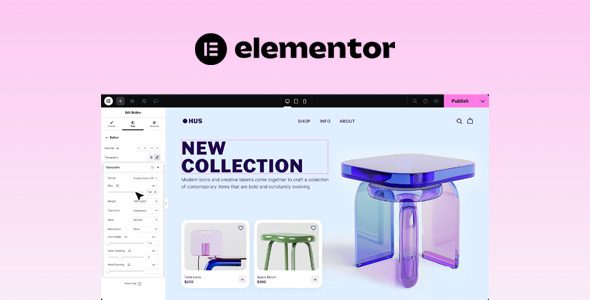
Elementor Pro build Any Page, Any Purpose. Elementor’s advanced editor gives you the creative freedom to turn your ideas into reality. Build, customize and
Elementor Pro Features & ChangeLog
- Scrolling Effects
Set a sticky header, footer or other section, and make sure your message follows your users as they scroll. - Mouse Effects
Add depth to your website by making elements shift in relation to the mouse movement. - 3D Tilt Effect
Cause elements to float and glide slightly as the user moves their cursor over each item. - Exit Animation
Choose the popup’s exit animation, such as fade and zoom, from the dropdown selections. - Page Transitions
Upon page transitions, change the color of the Canvas, add an icon, logo or animation from the Elementor library - Scroll Snap
Control the customer’s experience as they scroll through your website by snapping to any section on the page. - Cart Customization
Customize your cart layout and style including the section titles, labels, and placeholders of the form fields, and add a branded custom template for the Empty Cart state. - Checkout Customization
Edit the section titles, labels, and placeholders of the form fields. Style everything as a whole or by section. - WooCommerce Site Settings
Configure the required WooCommerce transactional pages directly within Elementor. - Dynamic WooCommerce Tags
Change product features once and have them applied everywhere the tags appear across your website. - My Account Customization
Design WooCommerce’s My Account page, changing the layout, style, tab names & alignment, and add a custom template for the Dashboard tab, and more. - Product Page Customization
Control the design and layout of your single product template with full customization options. - Product Archives Customization
Design your WooCommerce product archives template for full control over your display conditions. - Payment Processing Integration
Sell few items online and Integrate with PayPal/Stripe to process the transactions without setting up an entire store. - Form Builder
Create eye-catching forms that grab visitors’ attention. Collect, store and manage your data all within Elementor. - Dynamic Content
Design multiple pages from one layout, apply them across your website or show personalized content to different users. - Contact Buttons
Let visitors initiate a WhatsApp chat to trigger a conversation, access links, open an info button with important details, and so much more. - Action Links
Easily connect with your audience via WhatsApp, Waze, Google Calendar & more apps. - Social Proof
Add icon links to all your social media profiles and completely control the appearance of the social icons. - Highlight Reviews
Display social proof using a sliding carousel of user reviews. - Ratings
Display author-assigned star ratings within your content and customize the size, color, and typography. - Customizable HTML tags
Set the correct HTML tag for the title for better search engine optimization. - Contact Forms
Connect with users through contact forms, and customize the fields to collect all the information you need. - Subscription Forms
Add an inline subscription form that your visitor can use to subscribe to your newsletter or service. - Login Forms
Create exciting login forms and make it easy for users to log into your website. - Multi-Step Forms
Split your form into steps for a better user experience and greater conversion rates. - Action After Submit
Decide what happens after your visitor submits a form, including the triggered integrations. - Confirmation Email
Send an HTML or plain text confirmation email to your visitors after they submit a form. - Custom Validation Messages
Create a custom message that is displayed in the form when the user interacts with it. - Advanced Form Fields
Upload files, add a date picker, or use Elementor’s other advanced form fields. - Hidden Fields
Incorporate hidden fields in your forms and add tracking to form submissions. - Acceptance Field
Include an acceptance field to your forms, ensuring visitors accept your terms. - Honeypot
Use this simple yet effective security measure to prevent your forms from being spammed by spambots. - Form Submissions
View, manage, and edit your Form Submissions in Elementor. - WebHook Capabilities
Implement a webhook to automate the form submissions that are added to your email marketing app. - Theme Builder
Build high-converting landing pages from within your current WordPress website and turn viewers into engaged users. - Visual Guide
Review and edit each component of your website individually, from Headers & Footers to Post, product pages, and more. - Loop Builder
Create your own main item template and use it to display your posts, listings, or product archives. - Display Conditions
Determine exactly where your global templates appear across your website. - Header and Footer
Customize the header and footer areas of your website visually, without any code. - Sticky Header
Add a sticky header to any page, or across your website, with a click of a button. No additional plugins needed. - 404 Page
Direct your visitors to custom 404 pages that can be built entirely inside Elementor. - Archive Page
Design your entire blog in Elementor, or designate different templates to separate areas of your blog. - Single Post
Create your blog post template and apply it across your website or to a specific category, page, or taxonomy. - Single Page
Control the layout and design of your website’s static pages using Single Page Templates. - Search Results Page
Customize your search results page and improve the user experience while searching your website. - Custom Fields Integration
Build the content fields in ACF, Toolset & Pods, and visually incorporate them into any page. - Custom CSS
Add custom CSS to any section, column, widget or page in Elementor. - Role Manager
Restrict access to the editor altogether, or allow certain users to make changes to the content. - Request Parameters
Track user information along every step of the sales funnel and personalize the user experience. - Custom Attributes
Add custom attributes such as ‘ARIA’, ‘header’ or ’footer’ for each Section, Column or Widget. - Custom Code
Seamlessly add custom HTML values like marketing pixels, analytics, and meta tags to the head & body tags. - MailChimp
Add visitors to your mailing lists using the seamless MailChimp integration.ActiveCampaign
Integrate ActiveCampaign and add your website’s visitors to your lists. - ConvertKit
Grow your audience by adding visitors to your lists with the ConvertKit integration. - HubSpot
Connect your website with HubSpot for a powerful CRM expereince. - Zapier
Attach your Elementor forms to Zapier for simple automation. Only available through WebHook - Discord
Send messages to your Discord server as soon as you receive new form submissions. - GetResponse
Integrate GetResponse to add your website’s visitors to your lists. - Drip
Elevate your marketing campaigns with the Drip integration and add your visitors to your lists. - ReCaptcha + ReCaptcha V3
Add a security verification field in your forms to detect fraud while maintaining a frictionless user experience. - Facebook SDK
Manage the Facebook comments that you receive as an admin using the Facebook SDK integration. - MailerLite
Collect group recipients for your email marketing campaign via Elementor forms. - Slack
Receive notifications about forms that are being sent through your Slack channel. - Custom Icon Libraries
Incorporate your favorite icon libraries such as Fontello, IcoMoon & Fontastic - Font Awesome Pro
Access over 1,500 free Font Awesome icons using an interface that makes it easy to manage all of them. - Google maps API
Embed your Google Maps API key directly into your website from Elementor’s Google Maps widget. - Embed Video Options
Include self-hosted, external video, YouTube, Vimeo or Dailymotion videos on your pages. - External Image URL
Optimize your loading time and gain full control over your website by embedding images from external sources.