AI ChatBot for WordPress can converse fluidly with your users, improve customer satisfaction and Conversion rates. Create bot responses from the WP backend,
AI ChatBot for WordPress Features
Add multiple variations of ChatBot responses for each node.
Option to Skip Greeting for logged in users only.
Automatically supports Follow Up Intents and step by step Question Answers through Dialogflow custom Intents
Shortcode for WPBot on a Page or post
Collect Customer Feedback by email option.
Light Integration with FaceBook Messenger for Live Chat
Option to Disable Persistent Chat History across pages
Remember chat history in browser local storage and greet returning users
Add images from your WordPress media library or Giphy animated gif images easily and quickly from the ChatBot language center with the floating image options
Extended Search AddOn
Sample DialogFlow Agent for quick import
RTL support
Quick Help for commands that can be used in-chat
Out of focus Browser tab flashing with custom message for retargeting messages
Advanced Name Recognition
Option to disable WPBot on Mobile Devices
Embed code to use the ChatBot on any other website including static HTML website
Upload custom Agent icon
Show or Hide Opening Notifications
Unsubscibe Command
Upload custom ChatBot icon
Create FAQ area with multiple questions and answers
Call me back – customer leaves phone number.
Automatically supports Rich Message Response & Card Responses from Dialogflow as FaceBook messenger app
Any Language support. mo/pot file included so you can translate to any language
Chat Sessions AddOn
Option to Auto Open Chatbot Window For First Time Page Load
GDPR compliance
Export eMail Addresses as CSV
Automatically supports Custom Intents and Responses You Create in Dialog Flow
Upload your own background image for chatbot
Admin customizable chat commands
Persistent chat history over shopper session on website
Stop Words dictionary included and editable by admin.
Option to choose on which pages WPBot should load
Automatically supports images (jpgs, animated gifs) and Youtube Videos from DialogFlow Intent Responses
Fine tune WPBot icon position by pixels or percentages
White Label AddOn
Enable/Disable retargeting message sound
Custom Background color for retargeting messages.
Collect User eMail for newsletter Subscription
Prompt User for eMail subscription with Retargeting Nessage
Automatically supports images (jpgs, animated gifs) and Youtube Videos from ChatBot Language Settings Responses
Option to Disable persistent chat history
Google Artificial Intelligence, Machine Learning or AI Engine with DialogFlow V2
Option to Enable/Disable Site Search, Call Me, eMail, FAQ, newsletter subscription etc. ready intents
Light Integration with Skype, WhatsApp, Viber, Web Link & Phone Call
Integrate with 3rd party Live Chat services that provides a stand alone chat page link like Tawk.to
Simply paste any image (jpg or gif) or youtube video’s full link
Natural Language Processing through Google’s Dialog Flow
Advanced, fast Site search of your pages and posts to answer user questions
FacebBook Messenger ChatBot
Option to Open pages in new or same window from search results
Option to hide the support and other icons from the ChatBot footer
Add multiple site notifications to show above the ChatBot icon
Quick access to Support ares of the ChatBot
Option to enable/disable asking for eMail address after asking name
Connect retargeting messages with any custom intent created in DialogFlow
Schedule day and time when WPBot will run. Make WPBot work with other Live chat software.
Advanced Language Center to edit and change every WPBot responses, System languages, stop words and info messages!
Ability to click a text link to open the ChatBot using shortcode
Choose from 5 design templates for ChatBot interface
Show retargeting messages for customer on Exit Intent, After Scrolling Down “X” Percent, Or after “X” seconds.
Add video in Support area just by pasting Youtube link
Onsite retargeting and remarketing to increase customer conversion rate.
UpdraftPlus Premium is trusted by WordPress admins around the world to back up and migrate their websites to new hosts and domains. Back up and restore in
UpdraftPlus WordPress Backup Plugin Features
Back up WordPress files and the database
Back up everything in the WordPress content directory and every database table beginning with the ‘wp_’ prefix.
Schedule backups
Set and forget! Schedule to run every 2, 4, 8 or 12 hours, daily, weekly, fortnightly or monthly.
Rapid restore
Click once against the backup you want to restore.
Automatically back up before updates
Restore in minutes from a backup taken immediately before the WordPress core, plugin or theme update that broke your site.
Back up incrementally
Back up incremental changes made (vs taking full backups every time) and save server resources.
Back up individual tables
Back up individual tables as opposed to the whole site database.
Premium backup scheduling
Run backups at set times e.g. at 3am / during periods of low traffic to conserve server resources for peak traffic.
Advanced retention rules
Automatically reduce the number of backups stored as they age, saving storage space.
Detailed reports
Get cryptographic checksums and verify the integrity of the backup files.
Back up to multiple locations
If you lose access to one set of backups, you’ll have a spare.
Restore from other backup plugins
Import and restore backups from MySQL and some legacy backup plugins.
Run from the WP-CLI
Run from the WordPress command line instead of from the WordPress dashboard.
WordPress multisite compatible
Lifts UpdraftPlus to the network admin area. Back up and migrate subsites and more!
Back up more files
Back up files outside of the wp_content directory (e.g other directories on your server, wp-config file etc.)
Back up more databases
Back up non-WordPress tables and external databases.
Encrypt the database
Keep sensitive data like user data, passwords and secret keys safe and secure.
Migrate
Migrate in minutes! Download backups from the source site, then restore them on the destination site.
Direct site-to-site migration
Link two sites once then migrate back and forth as many times as you please.
Search and replace built in
Reduces risk associated with manual migrations. Identifies old strings and replaces them with new ones.
Migration clean-ups
Clean-up tasks run automatically behind the scenes to maximise the success of your WordPress migration project.
Selective migration
Pick and choose which plugins, themes and database tables to migrate.
Multisite migration
Migrate a single site into a WordPress multisite network or migrate a subsite into another multisite network.
More backup options than anyone else
Back up to Google Drive, Dropbox, Amazon S3, Rackspace Cloud Files, FTP, DreamObjects, OpenStack Swift or Email.
Back up to premium locations
Get even more storage locations including Microsoft OneDrive, Backblaze, SFTP, FTPS, SCP, Microsoft Azure, WebDAV, Google Cloud, pCloud.
Google Drive / Dropbox enhancement
Back up to subfolders rather than the default ‘app folder’.
Amazon S3 encryption and more
Add a server-side encryption to the S3 storage settings and create an IAM user with restricted access to the Amazon S3 backup bucket, greatly increasing security.
Save on Amazon S3 storage costs
Back up to the Amazon S3 ‘Infrequent access’ storage tier.
Rackspace Cloud Files enhancement
Create unique usernames for each container, and manage all your websites’ backups in one Rackspace account.
WPC Buy Now Button for WooCommerce Premium is the ultimate time-saving plugin that helps customers skip the cart page and get redirected right straight to the
WPC Buy Now Button for WooCommerce Premium Features
Change the position on single product pages
Change the position on shop/archive pages
Short-code supported for adding button to any position
Change the text for the Buy Now button
Change the parameter for the button or link
Select categories to enable Buy Now button
Show/hide the default Add to Cart button besides Buy Now
Enable/disable cart resetting before Buy Now event
Choose which to open after Buy Now: cart, checkout, or custom page
Localization tab: customize text phrases in plugin
Compatible with most WordPress themes & WooCommerce plugins
Premium: Enable open WPC Fly Cart popup
Premium: Enable open Instant Checkout popup with advanced settings
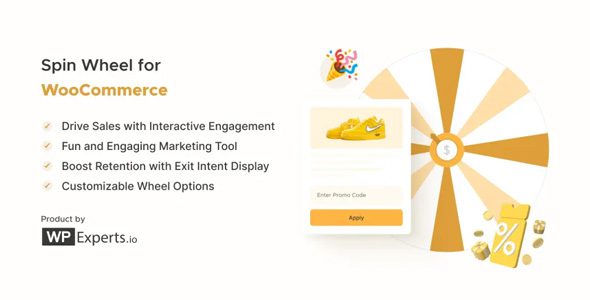
Spin Wheel for WooCommerce is a WooCommerce extension that helps you convert your visitors into customers by adding a “wheel of fortune” to your site. Use
Woocommerce Spin Wheel Features
Clickable Button Icon: The admin can add an image to the spin wheel icon. This customizes the appearance of the spin wheel button on the website.
Auto Add Coupon to Cart: Automatically applies the coupon won by the user to their cart. A popup alert notifies the user when this happens.
Enable Cart Redirect: Automatically directs the user to the Cart page after they win a coupon from the spin wheel.
Privacy Policy: Allows the admin to display a privacy policy link on the spin wheel. The admin can customize the link label and select the privacy page.
Checkbox for Multiselection: Enables the admin to select multiple wheel slices simultaneously in the Slices sub-tab of the settings.
Email Template: Lets the admin customize email templates for both winning and losing outcomes. The admin can enable email sending and personalize the content.
Triggers: Various options to control when the spin wheel appears
Pop-up window The pop-up window with the Spin Wheel appears at the corner of the screen. Different events can trigger this pop-up.
Unlimited wheel slices
Add/remove wheel slices and decide what prizes you want to display inside each slice.
Fully customizable
The wheel is fully customizable – edit everything from the color of the wheel to the text message.
Instant preview The admin can preview the changes applied to the wheel before taking it live.
Wheel analytics View important analytical data of your wheel based on its usage — appearances, spins, discounts granted.
Target specific pages or post types
Display the Spin Wheel on specific pages and post types to increase sale conversions (add to cart page, thank you page, landing pages).
Select time duration for Spin Wheel display
Display the Spin Wheel for limited periods so that it turns on and off automatically.
Enable sound
Enable sound so that the visitors can enjoy the sound of the wheel spinning.
Enable snowfall animation
Give your Spin Wheel a different look by giving it a snowfall effect.
Set display to exit intent
Choose to show the Spin Wheel when customers are about to leave the website.
Set coupon duration
Set the duration of validity for the generated coupon with ease – it can set between hours or days
Set Explainer text
Set the introductory text visible to the visitor as the Spin Wheel opens in their browser or mobile view.
Set the winning title and text
Edit the text that will be displayed to the user after they win any coupon or link.
Hide the pop-up after successful spins
Select a delay time for the pop-up to reappear after a successful spin.
Trigger Spin Wheel for desktop & mobile devices
Set up separate Spin Wheel triggers for both devices. Choose what you want to display by selecting your preferred device.
Automated WooCommerce coupons
The wheel can auto-generate coupons for customers when they win and send it to them on their subscribed email.
Free downloads
You can link the wheel to free e-books (or any other PDF) as gifts for your customers.
Fully responsive Spin Wheel for WooCommerce functionality is designed for all screen sizes and devices.